ce87cc No.15716238
Aside from the obvious emulator option, what's the best way to "capture" PS2 on my PC so I can play games on the original hardware without the need of a second monitor on my station? ideally a window with little to no input lag, do I need an HDMI converter of sorts for the PS2 signal? can I get it to run at 60FPS?
45691c No.15716244
Using the xb1 DVR as a pass through.
ce87cc No.15716247
>>15716244
Xbox Classic DVR?
d8ec5e No.15716258
>>15716238
Get a CRT and sit it on your desk you dumb nigger, PS2 looks fucking terrible on LCD screens.
0bb310 No.15716260
I used an old set top box to put the signal into the monitor from my og xbox, not sure about the frame rate though.
5210f5 No.15716261
>>15716258
Do they still manufacture decent CRTs or do you need to buy either an overpriced relic of the past or go dumpster diving on the net for a cheap one?
a4b665 No.15716264
>>15716261
Try craigslist or something.
d8ec5e No.15716267
>>15716261
No, and somewhat yes. As long as you're merely looking for a decent SDTV and not some PVM/BVM (which actually look like shit for gaming and have attained meme status), people give them away on CL, or you could pay $15 at your local thrift shop.
ce87cc No.15716270
>>15716258
So there is no way to make it look decent? sometimes I wish someone out there made a diagram or something to make a PC able to directly communicate with the PS2 or something and basically "not-emulate" but literally run the thing.
>>15716260
Will check it.
>>15716261
I had a Sony VEGA CRT, the problem? it was huge and cumbersome, that's my biggest issue with CRTs, I have the S-Video cable so it looks nice assuming I can get one, but even older CRTs were small and comfy compared with the stuff that was available before they were discontinued.
8c0087 No.15716271
>>15716238
I took my PS2 and hooked it up through the TV tuner card in my PC.
This was in 2000 though.
Otherwise, >>15716258 is the way to go about it.
ce87cc No.15716276
>>15716271
Can you elaborate? that's assuming I am able to get one of those.
ff1c99 No.15716278
>>15716238
get a PS2 component video cable, and a component video to HDMI transcoder. what connections does your monitor have? (most pc monitors have at least 3 video inputs) also, make sure your display supports 480i and 480p video modes (most monitors with an HDMI connection should be fine) only downside to this setup is it won't work on most ps1 titles (you'll need a retrotink x2 for that)
23e6dd No.15716284
>>15716270
just get a video capture card for the PC
research the card and the software but you should be able to do exactly what your wanting, pop up a window in the OS with video from whatever the card is receiving (your PS2).
Use whatever adapters are needed to change the PS2 outputs to HDMI or whatever is on the card or get a card that handles PS2 outputs.
ce87cc No.15716286
>>15716278
I got an old Dell with VGA or DVI only, or I could get a decent one, I prefer to play PS1 games on emulator since those have little to no compatibility issues compared to PS2 emulation.
ce87cc No.15716288
>>15716284
Any good capture card recommendations?
ff1c99 No.15716289
>>15716271
in my experience TV tuner cards are ass for playing games. especially 480i games (most ps2 titles are 480i only) do want to record gameplay? or just play games?
d8ec5e No.15716292
>>15716270
>So there is no way to make it look decent?
Not on an LCD screen. If you're going out of your way to use original hardware, it doesn't really make sense to half-ass it.
ff1c99 No.15716293
>>15716286
>I got an old Dell with VGA or DVI only,
check the specks, lots of the older dell LCD monitors support component/YUV video over the vga port with this type of connecter.
23e6dd No.15716294
>>15716288
i haven't played with one, but from the five minutes of searching this one seems to do everything you want
https://www.amazon.com/Hauppauge-ImpactVCB-Express-Capture-1381/dp/B0068IMT5M/
says it supports S-video and composite, and has audio inputs, the drivers / software that come with the card let you pop up a window with the video/audio feed.
ce87cc No.15716297
>>15716292
I'll keep than in mind, guess I can try to get a bigger desk.
>>15716293
Noted it, thanks.
>>15716294
Will check it, thanks.
23e6dd No.15716300
>>15716297
there's a million of these types of cards and they range from $20-30 to $300+, you'll have to research more
ff1c99 No.15716303
>>15716292
ps2 games can look great on LCD's, but you have to use a quilty LCD panel (little to no motion blur) and have a good scaling or deinterlacing solution
d8ec5e No.15716306
ff1c99 No.15716315
YouTube embed. Click thumbnail to play.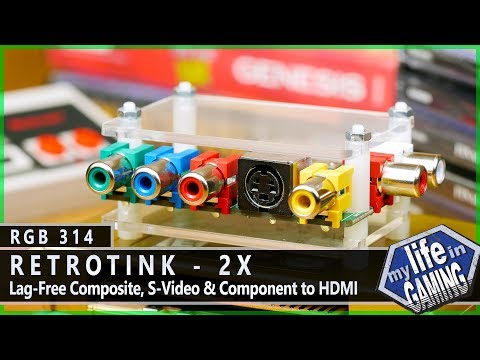
>>15716238
OP, just watch this video, it's a relly good option if you want good looking visuals at a good price. alternatively if you want s supercheap solution just get a GBS-8200 board, as it has VGA output.
ce87cc No.15716322
>>15716315
Thanks, guess I'll do some research, now a stupid question, do I get any weird video output if I decided to play an european game with no patches?
ff1c99 No.15716326
>>15716306
I've spent years on this problem, I know what i'm talking about. a good crt with s-video or component video inputs are a great solution for PS2. but high quality LCD and OLED will also look good (with some tweeks) and have the advantage of being much larger then any CRT.
ff1c99 No.15716334
>>15716322
depends on the game and display. if the game is outputting PAL50 then the display needs to support it. same with PAL60. in the usa most displays are setup for the NTSC 60hz video standard. are you in europe?
37b9f8 No.15716335
>>15716326
>and have the advantage of being much larger then any CRT.
They make CRTs larger than 50 inches you know? The problem is that at that point they get really heavy. The only advantage LCDs have over CRTs is convenience, but that alone is usually enough to change an entire industries mind so who am I to argue?
ce87cc No.15716338
>>15716334
Nope, America, but I was wondering if that made any difference when using a capture device to display on the PC.
d8ec5e No.15716347
>>15716326
No, it can't, and the fact that you've admitted to spending years trying to figure out 2+2 isn't a particularly good look, nor something you should be admitting publicly.
ff1c99 No.15716348
>>15716338
>but I was wondering if that made any difference when using a capture device to display on the PC.
it depends on what video formats the input device supports. it should be listed in the specs for the capture device.
ce87cc No.15716363
>>15716348
OK, I'll check it, but then it means the only real problem doesn't depend on the PS2 output but the capture's input as I suspected then.
23e6dd No.15716376
>>15716363
you can make it work
ff1c99 No.15716383
>>15716347
studying video technology is a hobby of mine, sound like you have specific preference for playing games on old low resolution crt with composite video (or RF even). thats fine, if thats what (you) like and enjoy. but it's not the only way. best retro look is subjective but I personal prefer the look of old games with the highest quality connection (RGB or component/YUV) on a high resolution CRT with no digital processing (like a BVM, PVM or PC CRT) or a good quality modern display with little to no motion blur and no input lag (or as little as possible) anyway, nothing to fight about my dude.
ff1c99 No.15716407
>>15716335
>They make CRTs larger than 50 inches you know?
yeah, but I can't lift one by myself, so thats kinda pointless. anyway, i'm also a crt enthusiast but HD monitors have come a relatively long way in the last few years and a high quality (yet expensive) display looks and feels close enough that i'm ok with putting my CRT's away.
cf56fb No.15716409
Get an aver media live gamer EXTREME capture card. I have one and it's surprisingly good, my 1440p monitor only has display port so I use that to play some console games and I lower the desktop resolution to 1080p not to get a blurry image.
d80417 No.15716444
>>15716383
>studying video technology is a hobby of mine
can you tell me why my used PVM crt is only displaying blue? It started out fine, but after using it for a couple of hours it all turned progressively more blue. Outer connections are fine, so it must be an internal issue, hope it's not the gun crapping out. Funny thing is, when you turn it on, for a few seconds during start-up it looks fine and then it instantly switches to blue mode.
I've already asked about it in previous CRT threads so I hope I don't sound retarded redundant.
ff1c99 No.15716468
>>15716444
what model is it?
ff1c99 No.15716475
>>15716444
if it has the capacity to show other colors then it's not the gun. might want to make a video of what it looks like on startup. could be bad caps or a bad IC/set of IC's. could be both. have you tried giving it a factory reset?
b20c22 No.15716490
>>15716258
This anon is right, it really does.
t. Have a ps2, but since my CRT broke I just emulate. I do have a PCTV board, but mine is very low quality and manages to make the image even worse.
ff1c99 No.15716492
>>15716444
does it display blue even when using composite video?
e066f3 No.15716501
>>15716238
>without the need of a second monitor on my station?
Why not get a 2nd monitor? You can get a top-tier CRT for 1$ on ebay.
cf56fb No.15716515
>>15716409
Shit I have to stop posting on no sleep. There's no HDMI jack for old consoles. Kill me.
ff1c99 No.15716522
>>15716490
niggas around here really need to stop using composite and RF video for everything.
ff1c99 No.15716530
>>15716515
my avermedia live gamer EXTREME (LGX) has component input, works fine with an OG xbox, and WII
0c13f3 No.15716537
>>15716238
Only real solution is PS2 through Framemeister through preview window of a lagless capture PCIe card optionally if you want to literally have your console output as a window on your desktop, I tried with an OSSC but the deinterlacing of that thing is painful to look at (bob or field discarding) and that other cheaper OSSC alternative doesn't do deinterlacing better afaik
Really just get a CRT or an LCD TV with okay deinterlacing (samsung and Sony generally)
0c13f3 No.15716547
>>15716537
>lagless capture PCIe card optionally
Forgot to add best I found is the Elgato HD60, might be better but stay the fuck away from Happauge or Avermedia, first has no lagless capture card at reasonable prices the second has framedrops after a couple hours because the damn card overheats like a motherfucker.
d80417 No.15716554
>>15716468
Trinitron bvm14f5e, I attached its documentation in my first post.
>>15716475
Pretty sure I have. After resetting all the settings now it looked a little better for about 5 seconds. Uploading video now.
>>15716492
It displays blue even when nothing is connected and I'm trying to browse the menus.
ff1c99 No.15716555
>>15716537
>samsung
samsung deinterlacing usually sucks, with the OSSC did you try seting optimal timings or using upsample2x? that helps me alot with 480i on the OSSC. best deinterlacing is from a Framemeister, but good sony sets come very close to a Framemeister when they use game mode.
d1d12b No.15716558
>>15716407
I too played around with broadcast monitors and shit for a couple years. Here's Occam's razor for the kids playing at home: PC CRTs are very high res and cost little or nothing. If you set an emulator to produce scanlines it's not different from playing at a cga resolution in any way. You can even make it look like an RF or composite signal if you want. Old crt TVs are trash, all of them, really don't bother. I wasted a good amount of money consoles, games and also equipment to try and force a PC signal into my broadcast monitor to emulate (NOT worth it). Monitors are big, expensive, weigh 30 - 50kg, and are only really good if you have a bunch of games to play on them already. They're cool and they have really amazing colour but I don't think you're missing a lot at all if you go for the dirt cheap PC route.
ff1c99 No.15716560
>>15716554
humor me and try composite video. also PVM's and BVM's have a "Blue only mode" have you made sure its off?
0c13f3 No.15716582
>>15716555
>samsung deinterlacing usually sucks
Dunno I found it better than that chink box I had before (Lenkeng), and that thing already looked better than a few LCD sets I tried
>with the OSSC did you try seting optimal timings or using upsample2x
I'm not sure what to touch regarding timings and my setup doesn't want to handle 2x at all
But I did find that plugging the OSSC directly in a monitor has better results in my case.
ff1c99 No.15716586
>>15716558
right its alot easier to work with a PC vga monitor and they are much easier to find. and connecting them to real hardware isn't that difficult anymore.
>to try and force a PC signal into my broadcast monitor to emulate
thats also not super hard, depending on what you want to emulate. did you try soft15kz with an amd gpu?
d80417 No.15716592
>>15716560
I'm sure it's off, and I've tried running a Wii through component cable, that's when I noticed it started turning blue. It doesn't have a composite input.
d1d12b No.15716598
>>15716586
Yeah I could never make it work. I spent quite a lot of time. Best success was had with modelines on linux.
ff1c99 No.15716599
>>15716582
in almost all situations when running the OSSC with 480i and 480p2x will look better with upsample 2x turned on. but advanced timings can also look really good.
see http://junkerhq.net/xrgb/index.php?title=OSSC#Allow_upsample2x
and https://www.videogameperfection.com/2017/11/14/revisiting-480px2-changer/
d1d12b No.15716603
>>15716586
Oh one other thing I've been meaning to get for a long time is a pi2jamma or a pi2scart. But raspberry pi 3 is not as powerful as I would like to emulate really well.
ff1c99 No.15716608
>>15716592
could be a bad component cable or a bad input card. is the input card properly set to component and not RGB?
ff1c99 No.15716613
>>15716598
did you ever try groovy mame/arcade linux?
ff1c99 No.15716618
>>15716603
>But raspberry pi 3 is not as powerful as I would like to emulate really well.
yep, and it always has about a frame/16ms of input lag, not so bad if you use RetroArch Runahead Settings.
d80417 No.15716620
>>15716608
I'm not sure how to check that, fiddling with settings now. Stuck the composite cable into a Y/Green slot, but looks exactly the same as if I were using the full component set.
d1d12b No.15716623
>>15716618
I'm confident it would at least not have input lag because by using the gpio it never has to convert a digital video signal and if you use pi2jamma you can bypass USB as well and use an analogue controller
ff1c99 No.15716624
>>15716620
>Stuck the composite cable into a Y/Green slot,
composite into the Y/Green on most sets will just show up as black and white anyway. you have a BVM, not a PVM as you said before. most PVM's a have a dedicated composite input lol. you have a cool BVM. you don't have any RGB cables to test?
ff1c99 No.15716626
>>15716623
no it's just a limitation of the pi hardware itself, it always has to buffer one frame before outputting video.
d80417 No.15716686
>>15716624
I do. It starts out and looks almost like it's going to make it, but then turns into nearly solid blue screen.
ff1c99 No.15716699
>>15716686
seems like something is going on with croma control. could be bad caps and a bad IC or two. have you looked inside at the main board? you also might want to go to the CRT threads on neo-geo.com and shmups.system11.org they have lots of experience with this type of thing. also the arcade-repair-man on and RGBrob on youtube
ff1c99 No.15716706
>>15716620
>I'm not sure how to check that,
the input card should have its own sub menu and inside that menu you can set the card for RGB or component. do you have any other component systems besides wii? and you're not using a multi-system cable, are you?
d80417 No.15716719
>>15716706
I have a PSP component cable around here somewhere. And no, it's a cable made specifically for wii.
>>15716699
Thanks for the links.
>could be bad caps and a bad IC or two
what are those?
ff1c99 No.15716736
>>15716719
>what are those?
Caps are Capacitors, and IC's are integrated circuits. An integrated circuit smaller than a fingernail can hold millions of circuits.
6f9f4a No.15716741
>>15716736
Those caps aren't just bad, they leaked too. It doesn't necessarily have to come to that. You can't tell most bad caps from just looks.
ff1c99 No.15716745
>>15716741
right, thats why its always a good idea to replace all the capes in an electronic devices thats over a decade (or more) old.
ad7e8b No.15716771
>>15716258
It looks fine with component cables.
3966d4 No.15716772
>>15716736
Not all capacitors look like that.
c8a906 No.15716783
>>15716771
incredibly blurry, 480i gets butchered by LCDs
a2a7f6 No.15717541
>muh original hardware
>muh CRT
>muh technical illiteracy
b1a022 No.15717561
>>15717541
>muh lack of an argument
ff1c99 No.15718837
>>15716783
>incredibly blurry, 480i gets butchered by LCDs
thats because its using a shit algorithm. or you've left a bunch of filters on. just because you've never had access to a good deinterlacer/scaler doesn't mean they don't exist.
i'll agree that "most" modern TV's/Monitors do an absolute shit job with 480i and 240p content (evern 480p most of the time), Samsung and LG even acknowledged this during CES 2018 (they said they had solutions on the way for 2019, just have to wait and see. don't hold your breath) right now only some Sony 4k and Panasonic 4k sets have proper nearest neighbor scaling with integers to avoid the blurry mess most sets use.
807678 No.15718843
>>15717541
Show Silent Hill 2/3 then ya fucking ape.
c8a906 No.15718851
>>15718837
>(they said they had solutions on the way for 2019
That'll be interesting, especially because more and more modern TVs are removing all support for analog input of all kinds and many from the previous few years only supporting 480i over component video with no composite decoding.
I think Sony and Samsung are the only manufacturers that recognize 240p as 240p and not 480i. There seems to be no future for analog on TVs which doesn't seem like the most forward thinking solution simply because of how many devices used composite.
That said, a good algorithm won't magically make 480i display natively or correctly on progressive scan displays, it'll simply do what it can to de-interlace the image better. I'm open to being proven wrong but I'm just going off of where the waves seem to be rolling.
>>15718843
ignore emuniggers and their insecurity.
ff1c99 No.15718855
>>15718843
silent hill 2 and 3 are much better on pc now with mods. no point in ps2 version now that we have better options.
c8a906 No.15718858
>>15718855
SH2 still looks best on PS2, mods don't fix the lack of detail rendered.
ff1c99 No.15718867
>>15718858
Nope, they fixed all that like this year. looks perfect even the fog is on point and you can set the frame rate to 60fps. it's a much better experience now.
c8a906 No.15718872
>>15718867
I'd need to see proof before I believe it.
ff1c99 No.15718884
>>15718851
>That'll be interesting, especially because more and more modern TVs are removing all support for analog input of all kinds and many from the previous few years only supporting 480i over component video with no composite decoding.
they didn't mention analog support, just format support as lots of digital devices still output 480i and 480p. 240p over hdmi is less of a thing. but thats why we have digitizers and line dublers.
ff1c99 No.15718885
>>15718872
go try the mod yourself
c8a906 No.15718891
>>15718884
480i and 240p are technically on the specifications list for the hdmi standard.
>>15718885
Nah I'll just default to the PS2 versions. I looked it up and the fog is fixed and can be pushed to beyond ps2 fill rates, but shadows are still broken so it's inferior.
ff1c99 No.15718894
>>15718851
>a good algorithm won't magically make 480i display natively or correctly on progressive scan displays, it'll simply do what it can to de-interlace the image better. I'm open to being proven wrong but I'm just going off of where the waves seem to be rolling.
have you seen what a properly setup frame mister can do with 480i? even with fast motion it looks like a native progressive signal. it costs you 22ms of input lag, but it's beautiful.
c8a906 No.15718899
>>15718894
>have you seen what a properly setup frame mister can do with 480i?
yeah, the ossc's bob deinterlace is even better. Still not correct 480i
ff1c99 No.15718900
>>15718891
>but shadows are still broken
are you see sure you're looking at the latest version? I know amd GPUs still have a few bugs without the patch but everything else is perfect.
c8a906 No.15718906
>>15718900
Haven't seen it, I'm well aware of the short comings of shadow rendering from the original PC version. It's a long check list of things to fix and without seeing everything addressed, I'm gonna stick with the PS2 version. Even if everything is fixed.
ff1c99 No.15718953
>>15718899
>yeah, the ossc's bob deinterlace is even better. Still not correct 480i
No, the framemeister's purpose is to make the interlaced signal look "progressive" and preserve signal resolution, no flicker, and no blending of frames or blur. the OSSC uses an older/faster method of deinterlacing. but it has the side effect of flicker and resolution loss doing very fast motion. the ossc can midgate some of that with advanced timing.
I also enjoy using the alternating scanline feature of the OSSC with 480i content (but you have to make sure the display can handle it)
ff1c99 No.15719003
>>15718906
thats fine, the newest mod instals like 15+ different things to address all the problems, but it's brilliant in action. especially compared to that abomination of an "HD collection" lol. the OG xbox version of 2 and 4 are also fine in a pinch. they both play at 480p natively default SH2 on og xbox has just a touch less fog then the ps2 version and its grain effect is more harsh/noticeable. but all that can be fixed with a hex edited patch.
ff1c99 No.15719022
>>15719003
although I always turned off the grain effect, even on the PS2 as I never liked it. SH1 had no grain effect and it looked fine.
ff1c99 No.15719166
>>15718851
>>15718899
I like using the OSSC and framemister with ED and PC CRT's so I can have the best of both worlds.
ff1c99 No.15719231
>>15718891
>480i and 240p are technically on the specifications list for the hdmi standard.
Right, even my mid range 10 year old samsung LCD TV can recognise 240p over HDMI, only problem is that it's blurry and full of ringing. since they did not optimize the algorithm for that resolution. Mitsubishi and Pioneer on the other hand did a great job with 240p over HDMI even Component/VGA 240p looks great. (480i support is not as good with those brands)
fd8674 No.15719350
>>15716267
>PVM/BVM (which actually look like shit for gaming and have attained meme status)
5ed4b0 No.15719412
>this upsets the CRTrannies
Anyway, just got a PS2, OP. It was really great when I actually had a working controller. The first two ones I had didn't even function properly.
807678 No.15719435
>>15719412
I know that feeling, my ds2 just shat out on me and all the jews on ebay don't know what used-decent means.
d24b8c No.15719437
>>15719412
This also reminds me, does anyone remember when your parents told you that playing videogames would break the TV or blamed them when it broke?
a3f9b1 No.15719502
How can I tell if my CRTV even looks good? I have some big ass 32 inch triniton and I feel like the pictures of all these other tvs look so much better. Should I just take a picture?
fd8674 No.15719515
YouTube embed. Click thumbnail to play.
>>15719502
If it's a Trinitron it probably looks pretty good. They were brighter and sharper than other CRTs due to the use of slits instead of the traditional shadowmask.
ff1c99 No.15719537
>>15719502
don't use composite or rf video connections if you can help it. and make sure all the filters and other bells and whistles are off (like sony's scan velocity modulation) also make sure your color and sharpness settings aren't cranked up to crazy levels, same with brightness and contrast.
ff1c99 No.15719549
>>15719502
>>15719515
>>15719537
Use S-Video, Component or RGB video inputs (if you have them) thats the first big step in making a CRT look its best.
fd8674 No.15719561
>>15719549
The leap from composite to S-video is pretty shocking.
ff1c99 No.15719586
>>15719561
>The leap from composite to S-video is pretty shocking.
yep, even on a digital display getting away from composite or RF video makes a huge difference
a3f9b1 No.15719592
>>15719515
Its got some issues, when I pulled it out of the attic a sound bar was sitting on top of it. So its kinda saggin on the top a bit. I guess the flat screen ones always bend a bit on the sides though. Its a bit blurry too. The issue is its a massive 32 inch one. I would like to mess with it to see if I can fix up the picture.
>>15719537
>turn down brightness and sharpness because they were high
>a lot of the blurriness is gone
Its still got some issues but holy shit what an improvement.
ff1c99 No.15719617
YouTube embed. Click thumbnail to play.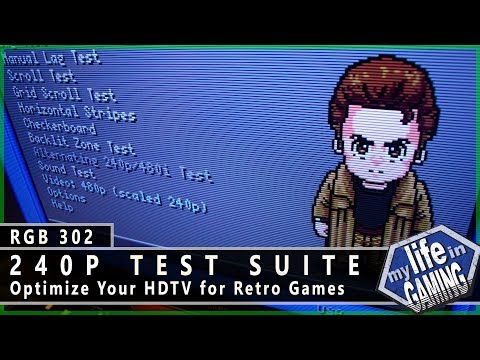
>>15719592
>Its still got some issues but holy shit what an improvement.
yep, video calibration on any display will usually yield improvements. if you have access to a system that can use the 240p test suite. that can help you make further adjustments for fine tuning. http://junkerhq.net/xrgb/index.php?title=240p_test_suite
and this video,
a3f9b1 No.15719744
>>15719617
>>15719617
I got the dreamcast, yeah it looks like I got my work cut out for me but at least I have this tool now. Nice thanks for that.
>tv just shows blur for the checkerboard
Maybe I need to look this shit up more.
ff1c99 No.15719763
>>15719744
how do you have the dreamcast hooked up?
a3f9b1 No.15719773
>>15719763
At first I was using an s-video but it looks werid for some reason, I think I'm somehow fucking that up too or thats its a cheap walmart one.
I threw it into the composite and did it that way.
ff1c99 No.15719900
>>15719773
right, composite is always going to have a little horizontal blur because of its bandwidth limitations. a lot of cheap s-video cables are wired incorrectly. so that could be it.
is it the one with both composite and s-video at the ends? (if it is make sure the composite end is not connected to anything at the same time as the s-video input, lots of TVs don't like that) with s-video it can be tricky to make sure the four internal pins are lined up right. but I definitely encourage you to get a nice 3rd or first party s-video cable. "chipnel" makes some "ok" ones for a good price. (most TV's need you to setup the video settings per-input)
ff1c99 No.15719953
>>15719900
this is also a good one, sega also seems to be putting out new dreamcast products. (dreamcast VGA also looks nice)
0302dc No.15722934
>>15719166
God damn. I am jelly.
99ca18 No.15723120
>>15716271
Started hanging my cels up on that wall now.
ff1c99 No.15723179
>>15723120
That's awesome.
d5e037 No.15723734
>>15719412
>all that leaded glass that has not been property disposed of